Run Your Freelance Business With Confidence.
Simple, practical spreadsheet tools to manage your clients, finances, invoices, and projects — all in one place.
- Instant digital download
- Works in Microsoft Excel
- One-time purchase
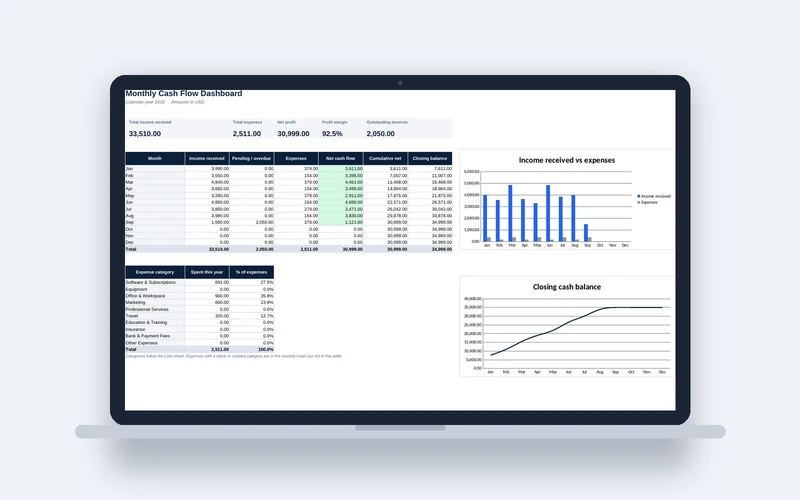
Tools that keep the admin simple
SoloDesk Studio creates practical digital tools designed to simplify everyday business organisation. Everything we make is a downloadable template you own and can adapt, with no accounts and no subscriptions to manage.
Freelancer Business Starter Toolkit
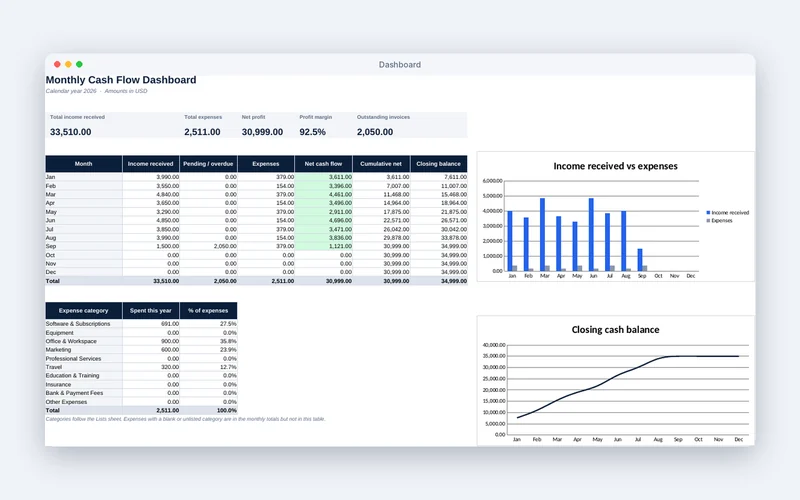
Everything you need to organise your freelance finances
A practical collection of professional spreadsheet templates to organise your income, expenses, invoices, clients, projects and monthly cash flow.
Less spreadsheet building, more running your business
Each tool is designed to do one job well, and they all work together.
See where your money goes
Log income and expenses in one place and get monthly totals without building formulas yourself.
Invoice with less friction
Fill in a clean, printable invoice and let the line totals, discount and total due calculate automatically.
Know who owes you what
Mark payments as paid, pending or overdue and see outstanding amounts per client at a glance.
Keep projects on track
Track status, priority, budget and due dates, with colour alerts when a deadline is close or missed.
A cash flow view that makes sense
A twelve-month dashboard shows income, expenses, net cash flow and your closing balance.
Yours to adapt
No macros or locked sheets. Rename categories, adjust layouts and make the workbook fit how you work.
Clean, readable worksheets
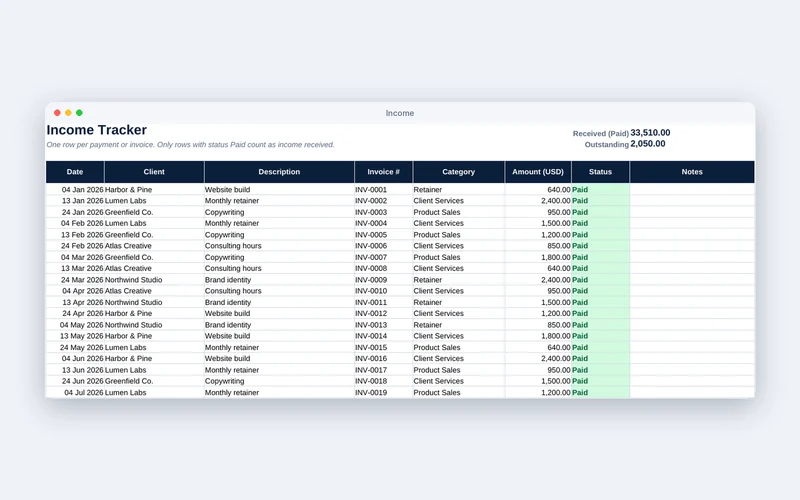
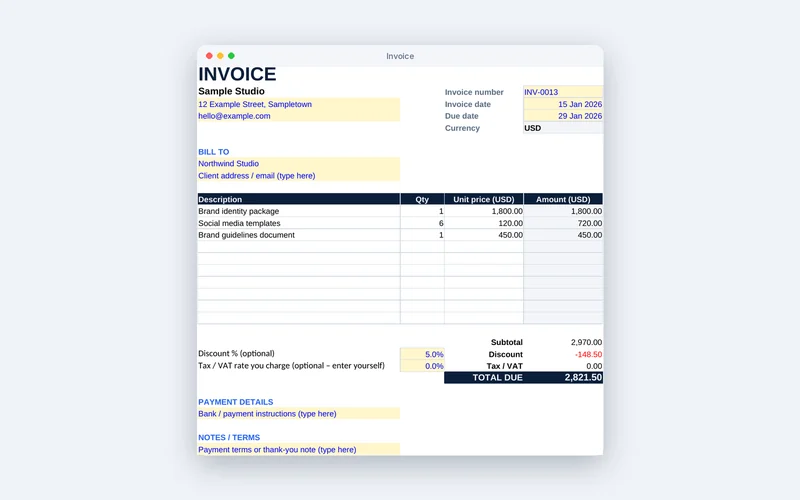
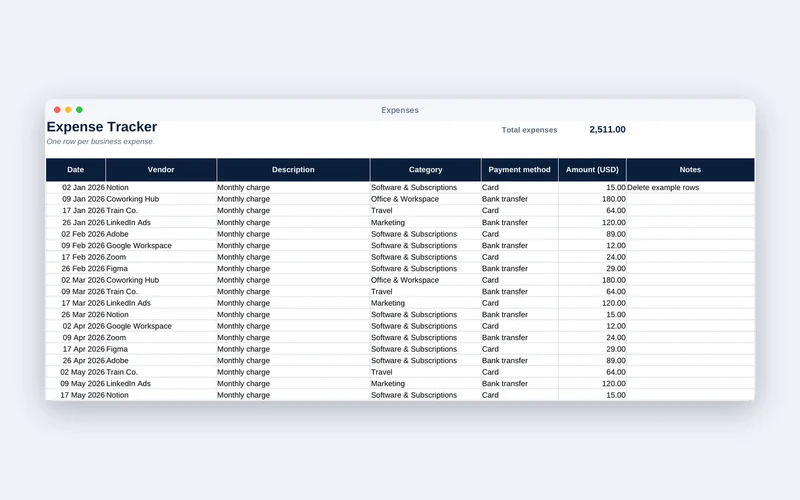
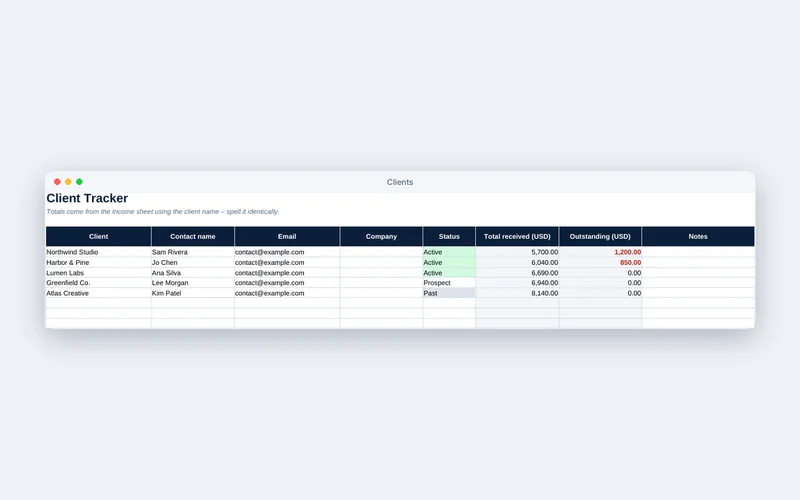
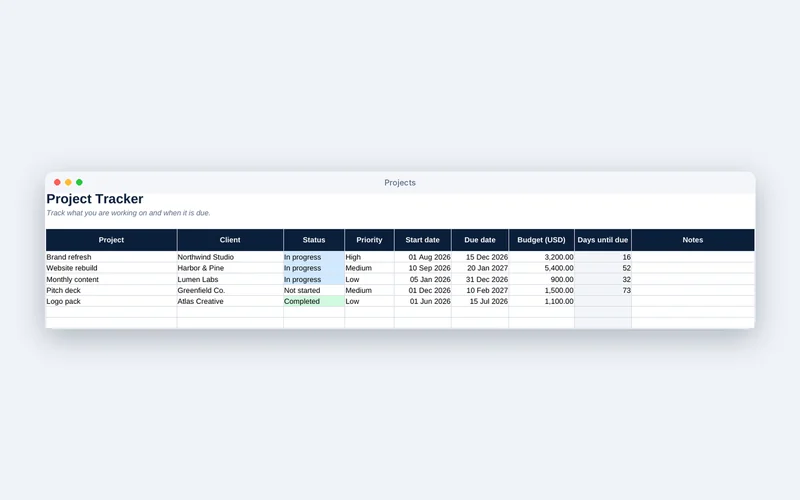
Images show the real worksheets filled with sample data. Your workbook arrives with a single clearly marked example row per sheet.
Six parts, one download
Income Tracker
Log payments with client, invoice number, category and status. Paid, pending and overdue amounts are totalled for you.
Expense Tracker
Record spending by category and payment method, with a running total and a category breakdown on the dashboard.
Invoice Template
A one-page printable invoice with automatic line totals, an optional discount and an optional tax/VAT rate that you enter yourself.
Client & Project Tracker
Keep a client list with totals received and outstanding, plus a project list with status, priority, budget and due-date alerts.
Monthly Cash Flow Dashboard
Twelve-month overview with key figures, net cash flow, closing balance, expense breakdown and two charts.
Quick Start PDF Guide
A short step-by-step guide explaining how to use every worksheet.
Purchase, download, start using
Purchase
Check out securely on Gumroad. Payment is handled entirely by Gumroad; this website never sees your card details.
Download
After payment you get a download page and an email link from Gumroad with one ZIP file containing the workbook and the guide.
Start using
Open the workbook in Excel, set your currency on the Start Here sheet, delete the example rows and enter your own data.
Questions, answered
What do I get?
One ZIP file containing the Excel workbook (.xlsx) and a PDF Quick Start Guide.
How do I receive it?
After payment, Gumroad shows a download page and emails you a download link. Nothing is shipped.
Which programs does it work with?
It is designed for desktop Microsoft Excel. Google Sheets, LibreOffice and Numbers are not supported, so features such as drop-downs, conditional formatting and charts may not work there.
Can I use USD or EUR?
Yes. Choose one currency on the Start Here sheet. It changes the labels only and does not convert amounts, so do not mix currencies in one workbook.
Does it calculate my taxes?
No. It does not calculate taxes and is not accounting or tax advice. The invoice has an optional rate field that you fill in yourself.
Can I edit it?
Yes. The formulas and layout are not locked, so you can adapt the workbook for your own business use.
Hear about new templates
Join the list for occasional announcements about new templates and product updates. Subscribing is optional and never part of a purchase. You can unsubscribe at any time.